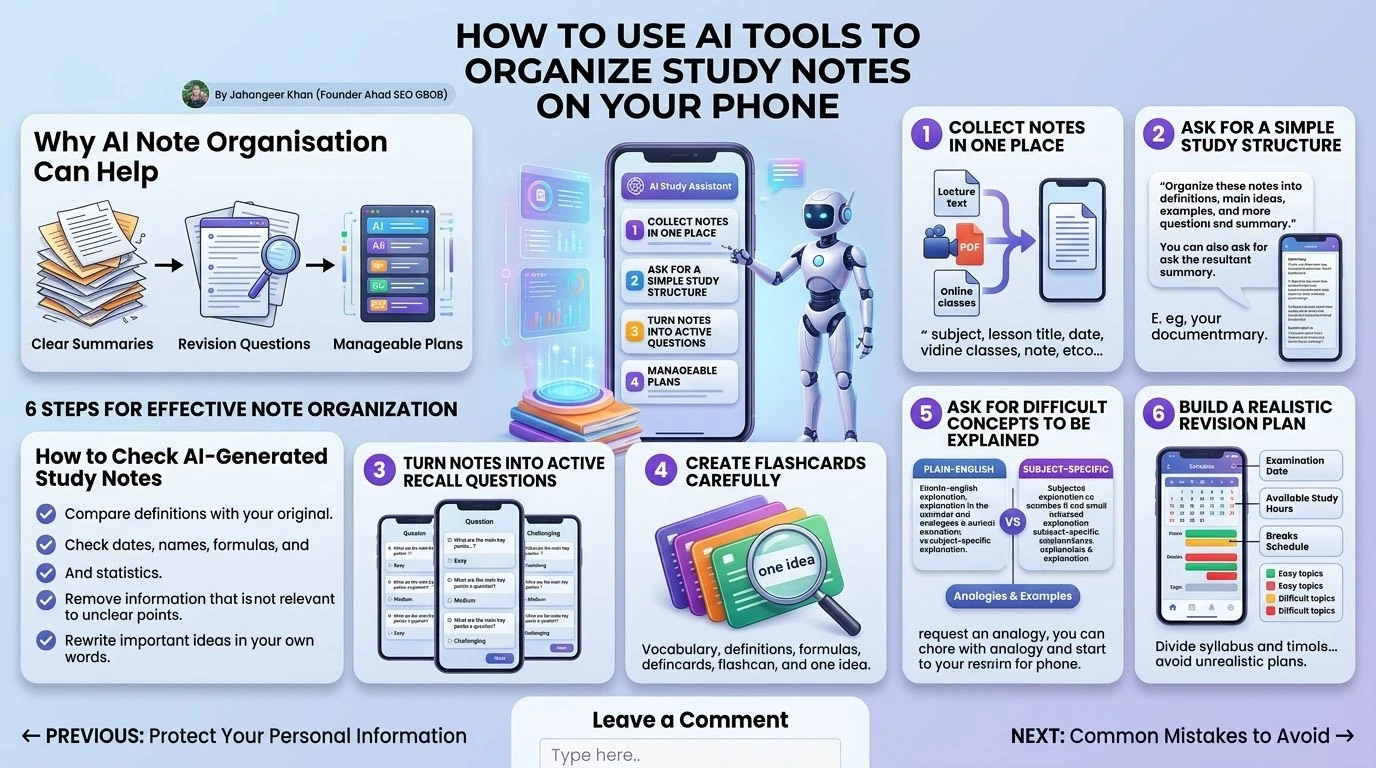
Students often collect information from lectures, PDFs, videos, and online classes, but finding the important details later can be difficult. AI note-organizing tools can help turn scattered study material into clear summaries, revision questions, and manageable study plans.
This guide explains a practical way to use AI for study notes on a phone without depending on it blindly. The goal is not to let an app do the learning for you. The goal is to make your own study material easier to understand and review.
Why AI Note Organisation Can Help
Long notes are difficult to revise when every sentence appears equally important. An AI tool can help separate definitions, examples, dates, formulas, and key arguments. It may also identify repeated ideas and arrange information under useful headings.
This is particularly helpful for students who study from mobile devices or need to review material during short breaks.
Step 1: Collect Notes in One Place
Before asking an AI tool to organise anything, gather your material in one document or note. Include the subject name, lesson title, date, and source of the information.
Do not mix unrelated subjects in the same request. A focused document helps the tool produce a clearer structure and makes it easier for you to identify missing information.
Step 2: Ask for a Simple Study Structure
Use a clear request such as: “Organise these notes into definitions, main ideas, examples, and questions I should revise.” You can also ask for a short version and a detailed version.
Good instructions usually mention the subject, education level, desired length, and format. For example, you might request a one-page revision sheet with short headings and bullet points.
Step 3: Turn Notes into Active Recall Questions
Reading notes repeatedly can feel productive, but answering questions from memory is often more useful. Ask the AI tool to create easy, medium, and challenging questions from your notes.
Cover the answers, attempt each question yourself, and then compare your response with the source material. Correct mistakes in your own words rather than memorising an unexplained answer.
Step 4: Create Flashcards Carefully
Flashcards work well for vocabulary, definitions, formulas, and short facts. Each card should focus on one idea. If a card contains a complete paragraph, it may be too difficult to use effectively.
Review the generated cards and remove anything inaccurate, duplicated, or too vague. Keep the final set focused on information that is genuinely important for your course.
Step 5: Ask for Difficult Concepts to Be Explained
When a topic is confusing, ask for a plain-English explanation followed by a subject-specific explanation. You can also request an example, an analogy, and a short quiz.
Do not assume that a simple explanation is automatically correct. Compare it with your textbook, lecture material, or an authoritative source.
Step 6: Build a Realistic Revision Plan
An AI tool can divide a syllabus into smaller sessions. Give it your examination date, available study hours, subjects, and existing commitments.
A useful plan includes review sessions, practice questions, breaks, and extra time for difficult topics. Avoid plans that require several hours of uninterrupted study every day if that is not realistic for you.
Protect Your Personal Information
Do not upload passwords, private messages, identity documents, confidential work files, or personal information about other people. Check the tool’s privacy policy before uploading class documents or recorded lectures.
If a lecture includes other people’s voices or private information, obtain permission before recording or processing it.
How to Check AI-Generated Study Notes
- Compare definitions with your original textbook or course material.
- Check dates, names, formulas, quotations, and statistics.
- Remove information that is not relevant to your syllabus.
- Ask your teacher or tutor about unclear points.
- Rewrite important ideas in your own words.
Common Mistakes to Avoid
Students sometimes ask AI to complete assignments, accept summaries without checking them, or create enormous flashcard sets that are impossible to review. Another mistake is using AI only to produce answers instead of practising independent thinking.
Use the tool for organisation, explanation, and practice. Your own reading, reasoning, writing, and revision should remain central to the learning process.
Final Thoughts
AI can make mobile study more organised by turning unstructured notes into summaries, questions, flashcards, and revision plans. It is most useful when the student remains responsible for checking accuracy and understanding the subject.
Start with one lesson, test the workflow, and improve it based on your results. A simple, accurate study system is more valuable than a complicated collection of AI featur
💡 Recommended for You: Boost Your Growth with AI Tools for Small Businesses